

Comparer les modèles
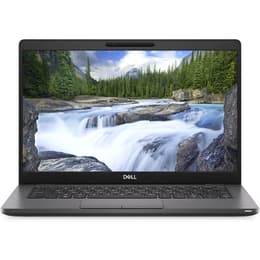
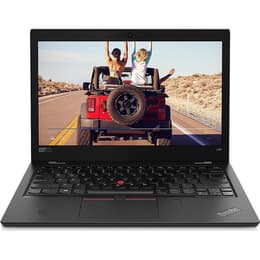
Dell Latitude 5300 13" vs Lenovo ThinkPad L380 13"
- Garantie commerciale de 12 mois
- Livraison standard offerte
- Retour gratuit sous 30 jours
Aperçu des différences
The Dell Latitude 5300 and the Lenovo ThinkPad L380 are compact 13-inch business laptops designed for professional and academic environments. Released a year apart, with the ThinkPad debuting in 2018 and the Latitude following in 2019, both machines target users who value utilitarian design, strong connectivity, and portability over sleek consumer aesthetics. While they share similar core hardware foundations and run on the Windows operating system, they approach daily productivity through different physical layouts and chassis configurations.
Choosing between these two portable workstations depends on how you weigh keyboard ergonomics against structural footprint and internal generation updates.
Modèles disponibles
Stockage
Processeur
Mémoire
Scores
Durabilité
Both laptops were built to commercial-grade standards with longevity in mind, though their release timelines mean they occupy slightly different stages of hardware aging.
- Software Support: Both devices natively support standard business operating systems, with driver availability tied closely to their commercial release windows and mainstream platform lifecycles.
- Build Longevity: The Dell Latitude 5300 features a rigid reinforced polymer chassis designed to resist daily wear, while the Lenovo ThinkPad L380 utilizes a durable composite and aluminum mix tested against routine travel demands.
- Repairability: Both models offer accessible internal components, allowing technicians or users to replace storage drives and memory modules straightforwardly to extend operational viability.
Année de sortie
2019
2018
Compatibilité Du Dernier Système D'Exploitation
Oui
Oui
Système d'exploitation
Windows 11
Windows 11
Performances
Equipped with similar mainstream processor generations and memory configurations, both laptops handle everyday productivity tasks with consistent reliability.
- Multitasking Handling: Configured typically with solid-state storage and standard random access memory allocations, both systems switch smoothly between office applications, web research portals, and communication software.
- Battery Behavior: Each laptop incorporates integrated power management designed to sustain standard mobile workflows, though battery endurance varies depending on the overall health and previous usage history of the installed battery unit.
- System Responsiveness: Applications open promptly thanks to solid-state drive architectures, ensuring that routine document editing and file management proceed without noticeable lag.
Carte graphique
Integrated Graphics
Integrated Graphics
Qualité de l'écran
The display assemblies on both devices prioritize anti-glare coatings and functional workspace dimensions suitable for document work and reading.
- Display Technology: Both models utilize 13.3-inch panels with crisp resolutions that render text sharply, reducing eye strain during extended writing or spreadsheet sessions.
- Brightness and Usability: Indoor visibility remains clear and comfortable on both machines, while outdoor or bright office use requires positioning away from direct glare due to standard brightness ceilings.
- Visual Workspace: The 16-by-9 aspect ratios provide sufficient horizontal space for side-by-side window snapping and general media consumption.
Résolution
1366 x 768
1366 x 768
Type d'écran
IPS
IPS
Caméra
Audiovisuel
Designed primarily for enterprise communication rather than multimedia creation, both laptops feature functional audiovisual components for daily virtual meetings.
- Video Conferencing: Integrated webcams provide adequate clarity for standard video calls and remote collaboration in well-lit environments.
- Audio Capture: Built-in microphone arrays isolate voice frequencies reasonably well during online conferences, minimizing background room echo.
- Media Output: Dual speakers deliver clear voice audio for meetings and spoken-word content, though music playback lacks deep bass response.
Divers
Connectivity and physical handling represent critical areas where these business-focused portables provide robust options for mobile users.
- Port Selection: Both units include a comprehensive array of modern and legacy inputs, featuring multiple USB ports, video output connectors, and audio jacks for peripheral compatibility without dongles.
- Mobility Dimensions: Weighing close to each other with slim profiles, both laptops slide easily into backpacks or briefcases for daily commuting.
- Input Peripherals: Each device offers a distinct typing feel, with the ThinkPad featuring a classic tactile keyboard layout and the Latitude providing a firm, low-travel deck.
Poids (en grammes)
1240 g
1415 g
Taille écran (pouces)
13
13
L’avis de la communauté
Users reviewing these laptops often praise the reliable daily performance, robust port selections, and sturdy construction that withstands frequent transport. At the same time, community discussions frequently note that older battery capacities require verification and that integrated graphics limit these machines to office tasks rather than demanding creative workloads or gaming. Users prioritizing a renowned tactile keyboard experience may prefer the Lenovo ThinkPad L380, while users seeking a slightly newer generation baseline often lean toward the Dell Latitude 5300. Opting for a quality-assured refurbished option provides a sustainable choice that extends the life of these durable business tools while keeping electronic waste out of landfills.